

✅ Last checked on May 23, 2026 by WebHelperApp
Microsoft Teams Together Mode retirement has been officially announced with a scheduled end date in June 2026, marking the conclusion of a unique era in virtual meeting experiences. This feature, known for its innovative layout that placed participants in a shared virtual space, will be retired as Microsoft shifts toward simplifying meeting layouts.
The official announcement from Microsoft detailed a clear timeline and rationale for retiring Together Mode. According to the company’s blog, the mode will be phased out to streamline virtual meetings and reduce cognitive load for users, as maintaining multiple layout options created fragmentation and complexity for users across platforms. The decision reflects a broader trend toward simpler, more consistent virtual meeting features that prioritize ease of use and accessibility over visually dense interfaces.Microsoft’s official blog underscores these adjustments in its explanation of new simplified meeting layouts.
Microsoft Teams Together Mode originated during the early phase of the COVID-19 pandemic in 2020. Microsoft introduced it to mitigate screen fatigue and foster a sense of presence among remote workers. The mode famously placed participants in a virtual environment resembling a shared auditorium or sports fan stands, the latter inspired by NBA virtual crowds, which highlighted its innovative approach to replicating real-world social dynamics in meetings. This feature stood out amid the surge of virtual collaboration tools but now faces retirement as Teams evolves.
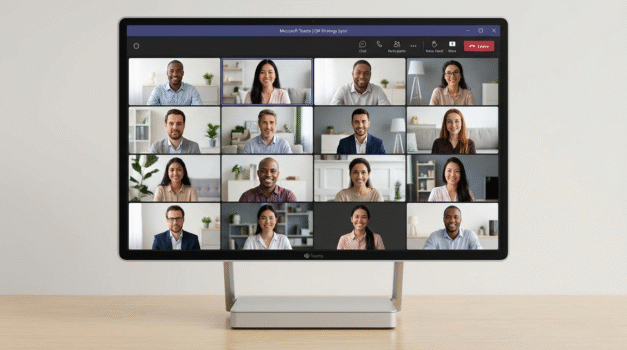
In response to the retirement, organizations are seeking alternatives that maintain or improve virtual meeting experiences without Together Mode’s unique layout. Microsoft suggests new and improved gallery views that provide clearer participant windows with better grid management, alongside spotlighting speakers and pinning participants more efficiently. These tools aim to focus attention without overwhelming users visually.
Competitive platforms have also evolved with comparable features. Zoom’s Immersive View, for example, offers a similar shared-environment effect and remains a popular alternative for users who valued Together Mode’s communal feel. Comparing Zoom’s Immersive View vs. Teams Together Mode highlights differences: Zoom’s feature supports more extensive customization and varied backgrounds, which Teams’ retiring mode will no longer offer. For deeper insights, the Zoom Immersive View guide can help users explore these alternatives thoroughly.
Transitioning from Together Mode involves several key steps for organizations to update their virtual meeting practices effectively. Setting up custom branded backgrounds has become a crucial replacement feature, allowing companies to maintain professional and consistent virtual environments. Configuring custom backgrounds requires users to access Teams’ background settings, upload branded images, and set defaults for meetings or organizational templates. Detailed instruction on how to customize backgrounds is available in our guide on customizing Microsoft Teams backgrounds, laying out the necessary steps for IT administrators and users.
Beyond technical configuration, communication strategies are vital in managing user expectations and adoption of new meeting layouts. Organizations should update meeting templates and provide training to ensure smooth transitions. Microsoft’s official support site offers comprehensive resources for managing these changes, accessible via Microsoft Teams support.
Community sentiment across platforms like Reddit and Twitter presents a mixed picture. Many users appreciate the simplification and reduction in cognitive load, valuing the less cluttered interface and improved accessibility. However, some express nostalgia and disappointment over losing the visual charm and social immersion of Together Mode, which had fostered unique collaborative atmospheres. User discussions reveal a desire for balance between functionality and engaging virtual environments, a challenge that Microsoft and other platforms continue to navigate.
Ultimately, the retirement of Microsoft Teams Together Mode in June 2026 signals a significant shift in virtual meeting design philosophy. Organizations are encouraged to adapt by leveraging improved gallery views, pinning features, and customized backgrounds to sustain effective virtual interactions. As these transitions unfold, ongoing evaluations and user feedback will shape the future of virtual meeting features, emphasizing streamlined usability while striving not to lose the communal aspect that Together Mode initially celebrated.
More detailed tips and tricks for optimizing Teams post-Together Mode can be found in the comprehensive Microsoft Teams tips and tricks resource, supporting users in mastering evolving virtual meeting tools.
Microsoft continues to provide robust training materials accessible through its learning platform, which covers new features and best practices for Teams, ensuring organizations are equipped through the transition period. See Microsoft Teams training resources for ongoing education on leveraging Teams effectively.